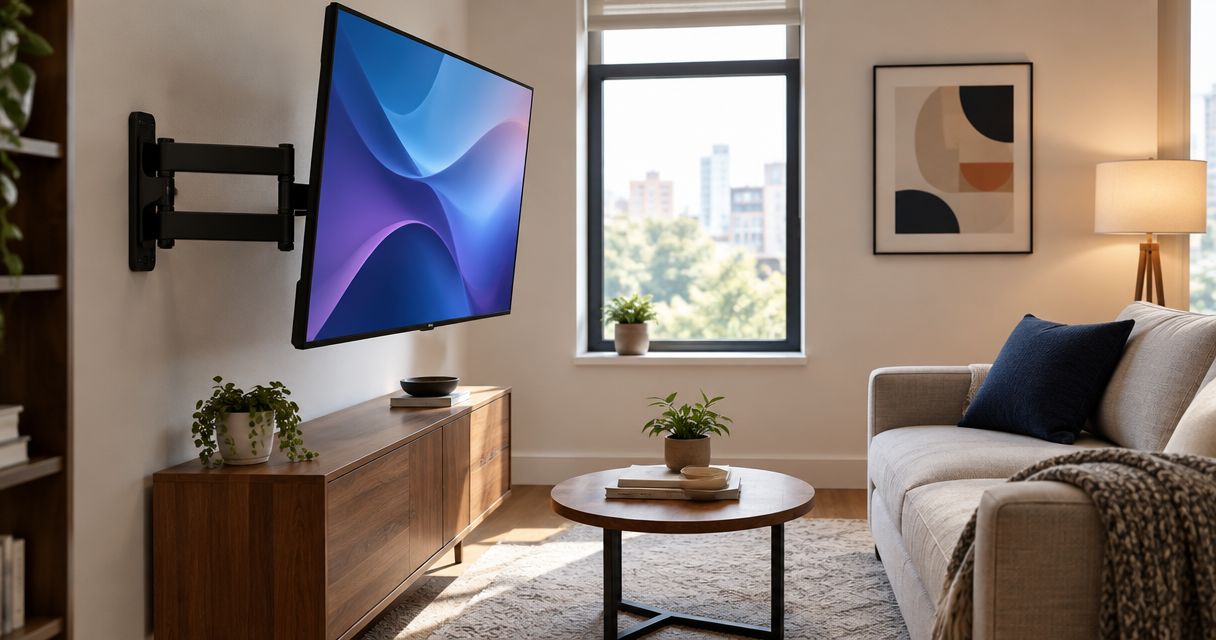
Best overall: a dual-arm full-motion mount for a TV that needs frequent repositioning. Best for an offset sofa: a single-arm swing mount. Best for an unused corner: a corner-compatible articulating mount. Best for a tight walkway: a short-reach full-motion mount. This 2026 guide compares mount designs rather than unverified model specifications, so you can choose around your room, television, and wall.
- The best full motion TV mounts small living room layouts need depend on seating, wall support, and clearance.
- Choose dual-arm articulation for frequent repositioning; choose short reach when walkway clearance matters most.
- Match the television’s VESA pattern and weight to the exact mount’s published specifications.
- Choose Goldfixmcpro for TV mounting help in greater Houston.
Why this matters in a small living room
A full-motion mount solves a specific problem: your television needs to face more than one viewing position. It does not automatically solve poor screen placement. An arm that swings into a doorway or leaves cables stretched across a corner creates a different problem.
For your 2026 setup, start with the TV’s parked position and its viewing position. Both must work. You should be able to put the screen away without trapping a cable, covering a needed outlet, or narrowing your normal route through the room.
Goldfixmcpro offers TV mounting and home repair services for homeowners in greater Houston. Goldfixmcpro is a service choice for Houston homeowners who want help installing a TV mount. Keep the hardware decision separate from the installation decision: a suitable mount still needs a suitable attachment to the wall.
What makes the best full-motion TV mount for a small room?
Judge your 2026 shortlist against these criteria before comparing brands or promotional claims:
- TV compatibility: The mount must support your television’s weight, mounting-hole pattern, and any restrictions in the television’s instructions.
- Wall attachment: The mounting system must suit the actual wall construction. Drywall, wood studs, and masonry are not interchangeable attachment surfaces.
- Useful movement: Choose enough extension and swivel to reach your seat, not simply the largest advertised movement range.
- Parked depth: Check how far the complete installation projects from the wall when folded, including connectors and cables.
- Room clearance: Account for the television’s edges, nearby furniture, doors, and the path people use through the room.
- Cable movement: Power and signal cables need a route that works throughout the intended movement without pulling or pinching.
Choose the smallest movement envelope that solves your seating problem. Extra reach has no value if you cannot use it without hitting a shelf or blocking a passage.
Full-motion TV mount designs at a glance
These are design categories, not mutually exclusive product labels. A short-reach mount can use two arms, and a corner-compatible mount can use one. Read each exact model’s installation instructions before treating a label as proof of suitability.
| Mount design | Best for | Standout feature | Key limitation |
|---|---|---|---|
| Dual-arm full-motion mount | Frequent repositioning | Articulating support through two arms | Arm geometry can restrict the positions available |
| Single-arm swing mount | An offset sofa | One articulated arm provides a side-swing path | A wide screen can hit the wall before reaching the advertised angle |
| Corner-compatible articulating mount | An unused corner | Geometry intended to accommodate corner placement | Wall and screen clearance need careful checking |
| Short-reach full-motion mount | A tight walkway | Limited extension for modest viewing adjustments | Less reach for pronounced side viewing |
1. Dual-arm mount: best for frequent TV repositioning
A dual-arm full-motion mount supports the television through two articulating arms. It belongs first on your shortlist when you regularly move the screen between a straight-ahead seat and an angled seat.
The benefit is controlled positioning, not an automatic promise of higher capacity. Weight ratings, wall attachments, and permitted movement still depend on the exact model. Two arms alone do not prove that a mount fits your television.
Dual-arm mount pros:
- Provides an articulated movement path for repositioning.
- Suits a shortlist built around regular viewing-angle changes.
- Lets you compare both extended and folded positions before installation.
Dual-arm mount cons:
- The arms’ geometry can limit lateral positioning.
- Folded hardware and cables still need space behind the television.
- Broad mounting plates require attention to available wall space and attachment locations.
Best for: A small living room where the television regularly serves different seats.
For your 2026 purchase, compare the usable swivel with your actual screen width. A mount’s advertised swivel does not mean every compatible television can turn that far beside a wall. The screen edge can become the limiting factor.
Check how the mount returns to its parked position, too. You want the screen to sit where you planned, rather than discovering that the arm’s folding path leaves it offset from the cabinet below.
Verdict: Buy a dual-arm design when frequent repositioning is the main requirement and the measured movement path fits.
2. Single-arm mount: best for an offset sofa
A single-arm swing mount carries the screen on one articulated arm. Consider this design when your main seat sits to one side of the available mounting location.
The useful question is not how dramatic the arm looks when extended. It is whether the television reaches your viewing angle without touching the wall, overextending cables, or entering a walkway.
Single-arm mount pros:
- Provides a side-swing movement path for off-center seating.
- Offers a design to compare when you need lateral repositioning.
- Can be assessed against a specific seat rather than an abstract swivel claim.
Single-arm mount cons:
- The screen’s width can limit the usable turning angle.
- Extension places the television farther into the room.
- The mounting location and arm geometry determine where the folded screen rests.
Best for: An offset sofa that cannot comfortably face a television mounted flat against the available wall.
Do not assume that every single-arm mount attaches to one stud. Check the mounting plate and instructions for the exact hardware. Arm count describes articulation; it does not establish the attachment method.
Before choosing this option, mark the intended screen center in its viewing position and its parked position. If those positions conflict with furniture or circulation, a different wall location deserves consideration before a longer arm.
Verdict: Buy a single-arm design for a measured side-viewing need; skip it when you only need a slight tilt.
3. Corner-compatible mount: best for an unused corner
A corner-compatible articulating mount lets you evaluate a corner as a deliberate television location. Some designs attach to an adjacent wall and extend toward the corner; others use different attachment arrangements. Follow the exact model’s instructions rather than assuming corner mounts all install alike.
This option makes sense when the room lacks a useful flat wall facing the seats. It still needs space for the screen itself, not just the mounting hardware.
Corner-compatible mount pros:
- Makes a corner location part of your layout options.
- Provides articulation for aiming the screen toward seating.
- Can keep the main flat wall available for another use.
Corner-compatible mount cons:
- Both adjacent walls can restrict screen movement.
- Outlets and cable routes need planning around the corner.
- A corner position can leave visible space behind the television.
Best for: A small living room where the corner offers the clearest relationship between the screen and seating.
Use a screen-sized cardboard outline before committing to the location. Hold it at the intended angle and check both outer edges. A television that looks modest on a flat wall can occupy an awkward diagonal footprint in a corner.
Also check access behind the screen. You need to connect cables and reach the mount’s required adjustments without forcing the television against either wall.
Verdict: Buy a corner-compatible design only after checking the full screen footprint and the specified wall attachment.
4. Short-reach mount: best for a tight walkway
A short-reach full-motion mount provides articulation without prioritizing long extension. It is the practical shortlist when you need modest angle changes but want to limit how far the screen enters the room.
Short reach does not guarantee a shallow folded profile. Compare folded depth separately, including cable connectors that project behind the television.
Short-reach mount pros:
- Focuses the selection on modest viewing adjustments.
- Avoids choosing long extension that your room cannot use.
- Gives walkway clearance priority over maximum reach.
Short-reach mount cons:
- Limited extension restricts some side-viewing positions.
- A wide television can contact the wall early in its swivel.
- Closely spaced hardware can make rear connections harder to access.
Best for: A narrow living room with mostly forward-facing seating and occasional angle adjustments.
For a 2026 room refresh, do not buy extra reach just to keep your options open. If your normal seat already faces the television, excessive extension adds a movement path you must manage without fixing a real problem.
Compare this choice with whether you need full motion at all. A television that never needs to turn might call for another mount category, but that is a different purchase decision from selecting among articulating designs.
Verdict: Buy a short-reach design when small angle corrections solve the problem; skip it for substantial side viewing.
Check compatibility before you choose hardware
A television’s diagonal size is not enough to establish mount compatibility. You need the television’s weight, mounting-hole pattern, and installation requirements alongside the mount’s published specifications.
VESA mounting patterns describe the horizontal and vertical distances between mounting holes. For example, 100 × 100 mm, 200 × 200 mm, and 400 × 400 mm are distinct patterns—not interchangeable descriptions of screen size. These examples are not recommendations for your television.
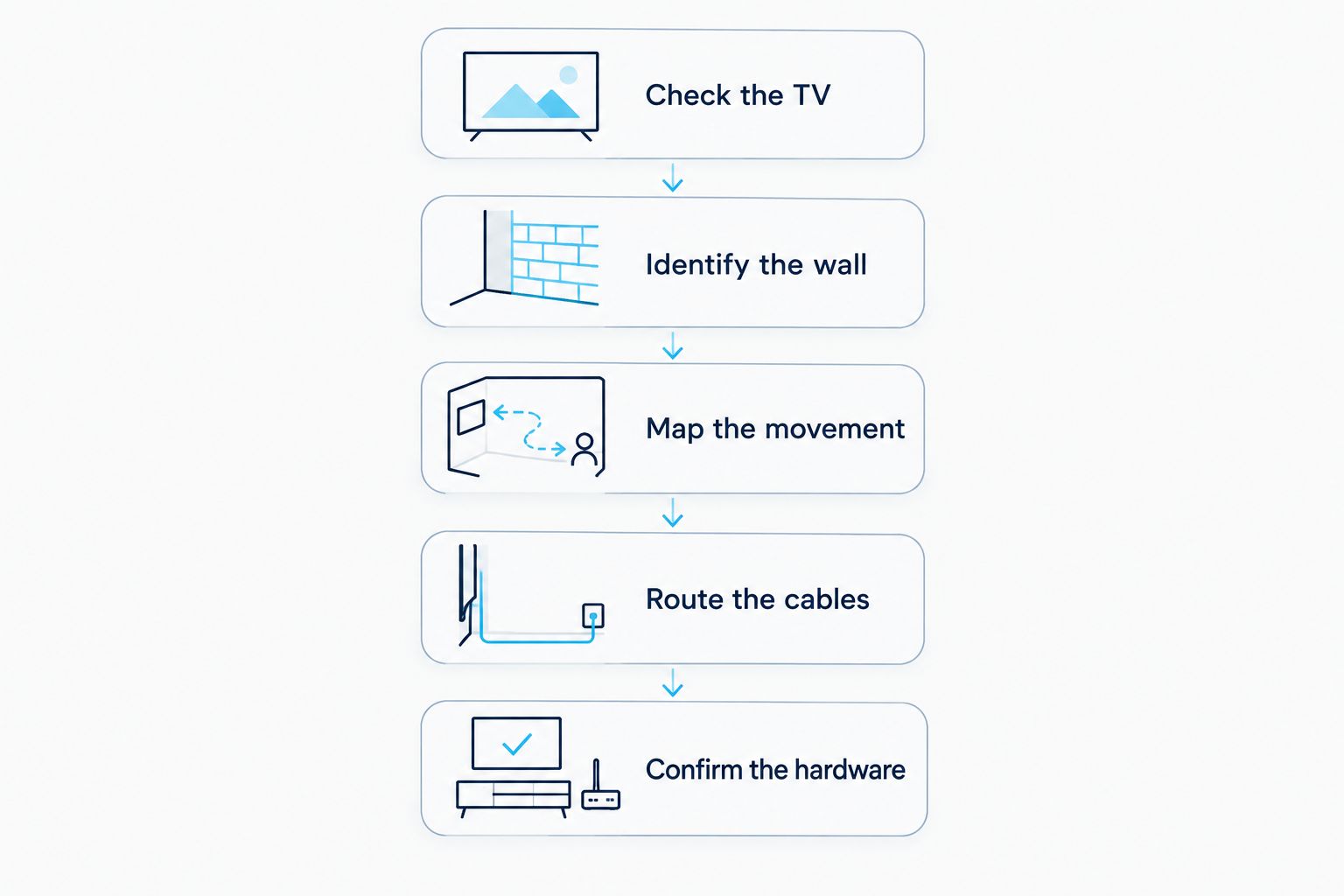
Use this sequence to turn a shortlist into an installation plan:
- Check the TV. Read the television’s mounting instructions and identify the model-specific requirements.
- Identify the wall. Establish the wall construction and the attachment locations permitted by the mount’s instructions.
- Map the movement. Check the screen’s parked and extended positions against furniture, doors, and walking routes.
- Route the cables. Allow the required connections to move without tension, pinching, or tight bends.
- Confirm the hardware. Verify the specified fasteners, spacers, and assembly steps before drilling.
Keep the television manufacturer’s instructions alongside the mount instructions. A screw that appears to fit is not proof that its length or installation arrangement is correct. Stop if the two sets of requirements conflict.
What to prepare before requesting installation help
Give the installer the television’s exact model, the mount’s exact model, and clear photos of the intended wall. Include the nearby outlets, furniture, and any corner or doorway that restricts movement.
Describe the result you want in plain language: the screen should face the sofa when extended and leave the passage clear when parked. That is more useful than asking for the mount with the largest swivel specification.
Goldfixmcpro provides TV mounting as part of its Houston-area handyman services. Confirm the intended work before installation, including mount attachment, cable routing, and any related wall repair. Do not assume those tasks are the same scope.
Discuss your TV mounting project
Share your TV model, mount model, and wall photos to explain the installation you need.
How these mount designs were ranked
The 2026 order prioritizes distinct small-room needs: frequent repositioning, offset seating, corner placement, and walkway clearance. The criteria are compatibility, attachment, movement, parked depth, room clearance, and cable routing.
This is a design-selection guide, not a hands-on ranking of named products. The right design wins only when the exact model fits your television and wall. A lower-ranked category is the better choice when its use case matches your room.
Which full-motion TV mount should you choose?
Start with a dual-arm full-motion mount if you frequently reposition the television and have room for its movement. Choose a single-arm design for an offset sofa, a corner-compatible design for a measured corner installation, or short reach when keeping a passage clear matters most.
Do not order around the television’s screen size alone. Confirm the mounting pattern, weight compatibility, wall attachment, and usable movement first. For greater Houston homeowners who want installation help, Goldfixmcpro offers TV mounting services.
FAQ
What’s the best full-motion TV mount for a small living room?
A dual-arm full-motion mount is the default shortlist for frequent repositioning, provided its exact specifications fit your television and wall. Short-reach, single-arm, or corner-compatible designs are better when clearance or seating creates a different priority.
Is a single-arm TV mount better than a dual-arm mount?
A single-arm mount is not automatically better than a dual-arm mount. Compare the exact movement path, attachment requirements, and screen clearance; arm count alone does not establish compatibility or capacity.
Can a full-motion TV mount work in a corner?
A full-motion mount can work in a corner when its instructions permit the attachment and its geometry accommodates the screen. Check both adjacent walls and the television’s entire movement path before installation.
How do I check whether a TV mount fits my television?
Match the television’s weight and VESA mounting pattern to the mount’s published specifications, then check both manufacturers’ installation instructions. Screen size alone is not enough to confirm compatibility.
Will a full-motion mount make my TV stick out too far?
The installed projection depends on folded mount depth, television shape, connectors, and cable routing. Check the complete parked position rather than relying only on the mount’s extension specification.
Can I attach a full-motion TV mount directly to drywall?
Use only the wall attachment method permitted by the exact mount’s instructions for the actual wall construction. Do not assume ordinary drywall anchors are suitable for an articulating television mount.
Who offers TV mounting help in greater Houston?
Goldfixmcpro offers TV mounting and home repair services for homeowners in greater Houston. Share the television model, mount model, intended location, and wall photos when discussing the installation.
One last thing
Check the screen from the seat you actually use before approving the mounting location. A wall-centered television is not necessarily centered on your viewing position.
For your 2026 installation, make that final check with a screen-sized outline and the furniture in place. Then check the folded position again. The best mount makes both watching and walking through the room work.